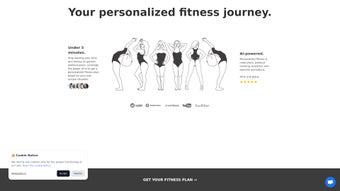

Download WorkoutPro io – AI‑Powered Fitness Planner & Tracker
Overview
WorkoutPro io is a subscription‑based web application that positions itself as an AI life assistant for fitness enthusiasts. Launched on Softonic on May 24 2025, this cloud‑first platform works directly in the browser, eliminating the need for a heavy desktop client or a mobile download. Its core promise is to generate truly personalized workout programs, adapt them on‑the‑fly based on user feedback, and keep progress tracking simple yet insightful.
By leveraging modern machine‑learning models, WorkoutPro io can assess a user’s goals (strength, endurance, weight loss, or mobility), available equipment, time constraints, and even personal preferences such as favorite exercises or injury history. The result is a day‑to‑day plan that feels handcrafted by a personal trainer, but delivered at a fraction of the cost. The interface follows a clean, minimalistic design that feels familiar to anyone who has used contemporary SaaS tools.
A dashboard presents the current week’s routine, upcoming sessions, and a quick‑look summary of calories burned, volume lifted, and cardio minutes. A built‑in analytics page visualises trends over weeks and months, helping users spot plateaus or celebrate milestones. Because it lives in the browser, WorkoutPro io automatically syncs across devices—whether you open it on a laptop at work, a desktop at home, or a tablet in the gym—so your plan is always up to date.
Security and privacy are also front‑and‑center. All data is transmitted over HTTPS, stored on GDPR‑compliant servers, and users retain full control over their personal information. A two‑factor authentication option adds an extra layer of protection for those who store sensitive health data.
While the service is subscription‑only, a seven‑day free trial lets potential members explore the AI‑driven planning engine without commitment. In the sections that follow, we’ll break down the standout features, walk through the installation process, examine compatibility, and answer the most common questions—so you can decide whether WorkoutPro io is the right digital coach for your fitness journey.
Features, Benefits & What Sets WorkoutPro.io Apart
- AI‑Generated Workouts: Uses a proprietary machine‑learning model to design daily routines based on goals, equipment, time, and personal preferences.
- Dynamic Plan Adjustment: After each session, users can rate difficulty; the AI instantly recalibrates upcoming workouts to keep intensity optimal.
- Progress Analytics Dashboard: Interactive charts display strength gains, cardio endurance, and consistency metrics over weeks and months.
- Cross‑Device Sync: Because it runs in the browser, your plan is instantly available on any device—desktop, laptop, tablet, or Chrome‑based mobile browser.
- Exercise Library with Video Guides: Over 500 exercises, each with HD video demonstrations, muscle‑group tags, and equipment filters.
- Customizable Split Templates: Choose from popular split routines (push/pull/legs, upper/lower, full‑body) or let the AI suggest a hybrid.
- Nutrition Integration (Beta): Optional calorie and macro tracking that syncs with major food‑logging apps.
- Community Challenges: Participate in monthly challenges, share results, and earn digital badges.
- Secure Data Handling: End‑to‑end encryption, GDPR compliance, and optional two‑factor authentication.
- Free 7‑Day Trial & Flexible Billing: No credit‑card lock‑in; cancel anytime from the dashboard.
Pros
- Highly personalized workout plans that evolve with user feedback.
- No app installation required; works on any modern browser.
- Clear visual analytics help users stay motivated.
- Extensive exercise library with professional video demos.
- Strong emphasis on data security and privacy.
Cons
- Requires a stable internet connection; offline access is limited.
- Subscription cost may be higher than basic timer apps for casual users.
- Nutrition integration is still in beta and may lack some advanced features.
- AI suggestions can occasionally feel generic for highly niche training goals.
- Learning curve for beginners unfamiliar with fitness terminology.
Installation, Setup & Compatibility
Getting started with WorkoutPro io is intentionally frictionless. Because it is a web‑based service, the “installation” process consists of a few simple steps:
- Visit the Official Site: Open your preferred browser and go to https://workoutpro.io. The homepage will automatically detect your browser and load the secure login page.
- Create an Account: Click “Sign Up,” enter your email address, create a strong password, and verify the account via the confirmation email. For added security, enable two‑factor authentication in the account settings.
- Select a Plan: Choose between the monthly ($9.99) or annual ($99.99) subscription. You can also start the 7‑day free trial without providing payment details; just enter a credit card when you decide to continue.
- Complete the Onboarding Questionnaire: The onboarding wizard asks about your fitness goals, current activity level, any injuries, equipment you own, and the amount of time you can dedicate each week. This information fuels the AI engine.
- Review Your First Week’s Plan: After submitting the questionnaire, the dashboard displays a tailored week of workouts. You can accept, swap, or modify any session before the first day.
- Start Training: Use the built‑in timer, log completed sets, and rate each workout’s difficulty. The AI will automatically adjust the next days’ intensity based on your feedback.
Supported Browsers & Platforms
- Google Chrome (latest version)
- Mozilla Firefox (latest version)
- Microsoft Edge (Chromium‑based)
- Apple Safari (macOS and iOS)
- Opera (latest version)
Since WorkoutPro io runs entirely in the browser, it is compatible with Windows, macOS, Linux, and even Chrome‑OS devices. Mobile browsers on Android and iOS are also supported, though a larger screen (tablet or desktop) provides the best experience for navigating the analytics dashboard.
Frequently Asked Questions
Is there a free trial for WorkoutPro io?
Yes. New users receive a 7‑day free trial with full access to all features, including AI‑generated workouts and analytics. No credit‑card is required to start the trial.
Can I use WorkoutPro io offline?
Because the service lives in the cloud, a stable internet connection is required for plan generation and data syncing. You can view previously loaded pages offline, but you won’t be able to log new workouts or receive AI adjustments without connectivity.
What payment methods are accepted?
WorkoutPro io accepts major credit cards (Visa, MasterCard, American Express) and PayPal. Subscriptions are billed automatically each month or year, depending on the plan you choose.
Does the app integrate with other fitness trackers?
Currently, WorkoutPro io can import data from Apple Health, Google Fit, and Strava via CSV upload. Direct real‑time sync is planned for a future update.
Is my personal health data safe?
All data is encrypted in transit (HTTPS) and at rest. The platform complies with GDPR and offers two‑factor authentication for added security. Users can also request complete data deletion at any time.
Conclusion – Is WorkoutPro.io Worth Your Subscription?
After a deep dive into its capabilities, WorkoutPro io stands out as one of the most sophisticated AI‑driven fitness platforms available today. Its ability to craft individualized plans, adapt them based on real‑time feedback, and present clear progress metrics makes it a compelling alternative to hiring a personal trainer—especially for users comfortable with digital tools. The browser‑only approach eliminates the hassle of app store updates and ensures that you always work with the latest AI model.
While the subscription price of $9.99 per month may be a consideration for budget‑conscious users, the value delivered—professional‑grade programming, comprehensive analytics, and a secure environment—justifies the cost for anyone serious about consistent improvement. If you’re looking for a flexible, secure, and intelligent workout companion that evolves with you, the 7‑day free trial is the perfect low‑risk way to test the platform. Sign up, complete the quick onboarding questionnaire, and let the AI take the guesswork out of your training schedule.
Whether you’re a beginner seeking structure or an experienced athlete hunting data‑driven insights, WorkoutPro io has the tools to keep you moving forward.



.png)



